
- Для версий
- 1.20.✘
- Java
LavaDrop — a plugin for creating custom airdrops and loot events
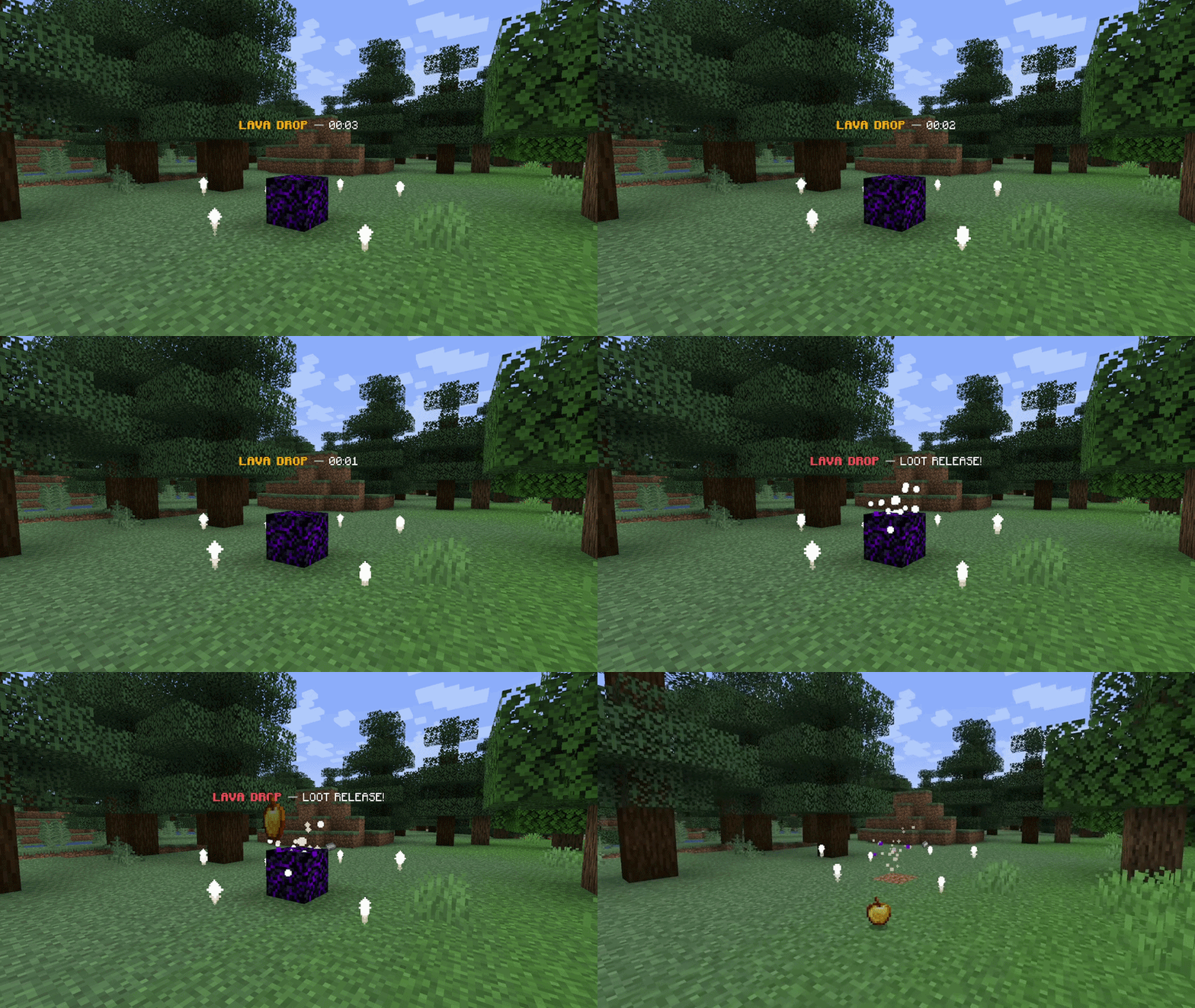
LavaDrop is a powerful and highly configurable Minecraft server plugin designed to create events featuring item drops and loot. Create exciting events with countdowns, holograms, boss bars, particles, sounds, customizable loot, and much more!
✨ FEATURES
• Fully customizable airdrop events
• Animated falling airdrop block
• Customizable items and rewards
• Event countdown system
• Hologram support
• BossBar notifications
• Loot volcano effects
• Custom particles and sounds
• Safe location detection
• Multi-world support
• Multiverse compatibility
• Flexible configuration
• Easy reload without restarting the server
COMMANDS
/lavadrop create — Create/start a LavaDrop event
/lavadrop remove — Remove the active LavaDrop
/lavadrop time — Check the event time
/lavadrop reload — Reload the plugin configuration
PERMISSIONS
lavadrop.admin
Grants access to LavaDrop administrative commands.
Regular players do not need this permission.
Example usage with LuckPerms:
/lp user \<player> permission set lavadrop.admin true
INSTALLATION
1\. Download the LavaDrop .jar file.
2\. Place it in your server's /plugins folder.
3\. Restart the server.
4\. Configure LavaDrop according to your server's needs.
5\. Start creating airdrop events!
YOUTUBE:
HOW IT WORKS
The event starts with a countdown. Players receive a notification about the upcoming LavaDrop and can prepare to search for it.
The drop location appears in a safe area and is accompanied by visual effects, particles, sounds, holograms, and a boss bar. Players can reach the drop location and collect the specified rewards.
LavaDrop is perfect for Minecraft survival, multiplayer, and custom servers that want to add exciting loot events to their gameplay.
Turn every drop into an event with LavaDrop!
LavaDrop is a powerful and highly configurable Minecraft server plugin designed to create events featuring item drops and loot. Create exciting events with countdowns, holograms, boss bars, particles, sounds, customizable loot, and much more!
✨ FEATURES
• Fully customizable airdrop events
• Animated falling airdrop block
• Customizable items and rewards
• Event countdown system
• Hologram support
• BossBar notifications
• Loot volcano effects
• Custom particles and sounds
• Safe location detection
• Multi-world support
• Multiverse compatibility
• Flexible configuration
• Easy reload without restarting the server
COMMANDS
/lavadrop create — Create/start a LavaDrop event
/lavadrop remove — Remove the active LavaDrop
/lavadrop time — Check the event time
/lavadrop reload — Reload the plugin configuration
PERMISSIONS
lavadrop.admin
Grants access to LavaDrop administrative commands.
Regular players do not need this permission.
Example usage with LuckPerms:
/lp user \<player> permission set lavadrop.admin true
INSTALLATION
1\. Download the LavaDrop .jar file.
2\. Place it in your server's /plugins folder.
3\. Restart the server.
4\. Configure LavaDrop according to your server's needs.
5\. Start creating airdrop events!
YOUTUBE:
HOW IT WORKS
The event starts with a countdown. Players receive a notification about the upcoming LavaDrop and can prepare to search for it.
The drop location appears in a safe area and is accompanied by visual effects, particles, sounds, holograms, and a boss bar. Players can reach the drop location and collect the specified rewards.
LavaDrop is perfect for Minecraft survival, multiplayer, and custom servers that want to add exciting loot events to their gameplay.
Turn every drop into an event with LavaDrop!


